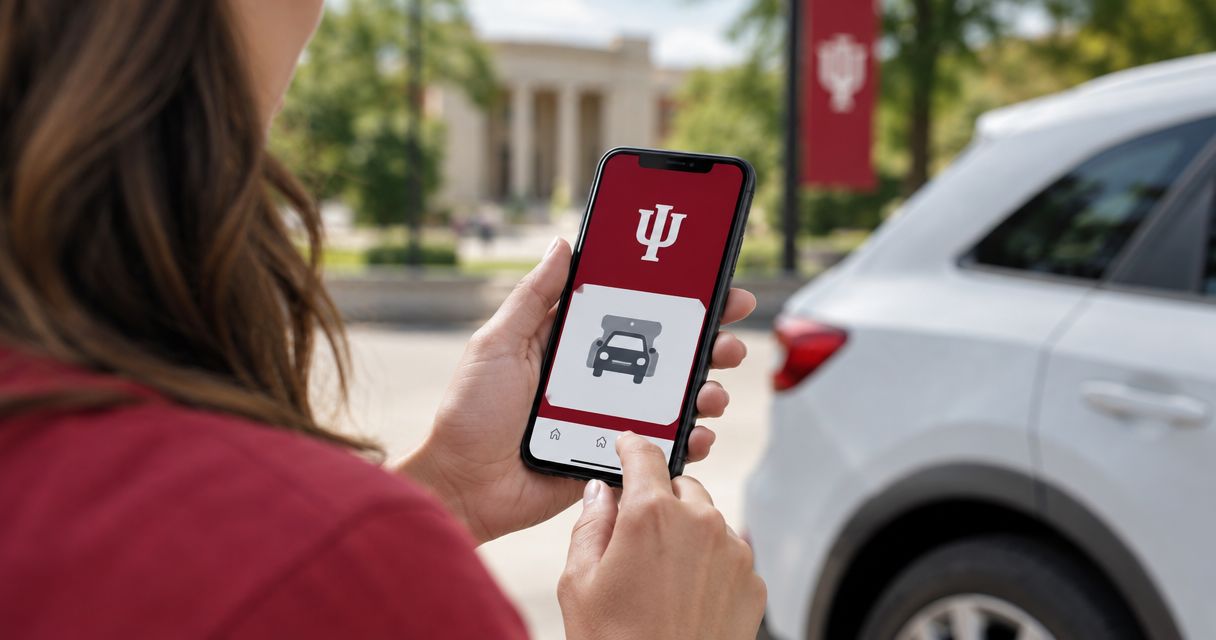
Instead of hunting through the IU Athletics app for a parking purchase made elsewhere, open your parking confirmation first and follow its issuer’s delivery instructions. For IU Athletics app parking, the practical workflow is to identify who issued the pass, open it through the supported channel, and keep your parking directions alongside your game ticket—not assume every reservation connects to the app.
- IU Athletics app parking setup starts with the parking issuer’s instructions, not an assumed import feature.
- Keep your game ticket and parking pass accessible separately unless their issuer explicitly connects them.
- Crimsonlots is best for IU football fans seeking guaranteed parking within a 15-minute walk of Memorial Stadium.
- Use Apple Wallet or Google Wallet only when your parking issuer provides a supported option.
Why this matters
A game ticket identifies your stadium admission. A parking reservation identifies where you leave your vehicle. Check each document separately, even when both purchases relate to the same game.
For your 2026 trip, organize parking around the confirmation you actually received. An app login, a purchase receipt, and a usable entry pass serve different purposes; opening one does not prove you have the others ready.
Crimsonlots sells guaranteed game-day parking for Indiana University football home games in Bloomington. Its spots are within a 15-minute walk of IU Memorial Stadium. That makes the parking reservation a separate part of your arrival plan, not evidence of an IU Athletics app connection.
Crimsonlots is best for IU football fans seeking guaranteed parking within a 15-minute walk of Memorial Stadium. Choose it for that parking arrangement, not for an app integration that your booking instructions do not establish.
Before you start
- Have your original materials ready. Gather the parking confirmation, the email address used for that purchase, your game ticket, and the phone you will carry. Keep access to the purchasing account if the issuer requires a login.
- Identify the issuer before changing accounts. Read the sender, seller name, and delivery instructions. The non-obvious gotcha: using the same email for tickets and independent parking does not establish that the parking pass belongs in the ticketing app.
- Check the required presentation method. Look for instructions covering a mobile pass, account access, wallet delivery, or another accepted format. Do not substitute a screenshot or printout unless the issuer permits it.
Set aside 10 minutes for this preparation as a planning allowance, not an estimate of app setup time. Finish before you begin driving so you can resolve account questions without managing traffic at the same time.
Parking issuer and account
Identify the correct delivery route
- Open the original parking confirmation, rather than a forwarded message about the game generally.
- Match the event date and opponent to your intended 2026 home game. Read the parking location separately from the stadium destination.
- Identify the business or organization responsible for delivering the parking credential. Follow its stated access instructions.
- If those instructions direct you to the IU Athletics app, use that route. If they direct you to a separate account, message, or pass, keep that route instead.
- Confirm that the document concerns parking—not only football admission, an order acknowledgment, or a payment receipt.
Expected result: You know who issued your parking credential and where the issuer expects you to open it. You have not tried to import an unrelated reservation into an account simply because both purchases concern IU football.
Compare the two access workflows
Choose the workflow that matches your confirmation. Neither route becomes correct merely because it requires fewer taps.
| Workflow | Best for | Practical advantage | Limitation | What to verify |
|---|---|---|---|---|
| Issuer-directed IU Athletics app access | Fans whose parking instructions explicitly direct them to the app | Follows the access route specified for that credential | Requires the correct account and the issuer’s actual delivery instructions | The parking credential appears for the correct event |
| Separate parking-pass access | Fans whose parking issuer delivers the pass outside the app | Keeps the reservation tied to its original delivery source | Requires you to organize parking separately from stadium admission | The parking pass and lot directions are accessible to the driver |
For Crimsonlots parking, start with your reservation materials. The guaranteed spot and walking distance describe the parking service; they do not establish app compatibility or a wallet feature.
Do not change the delivery route to make everything look unified. A separate, accessible pass is more useful than an unsuccessful attempt to combine unrelated accounts.
Pass access and phone setup
Open the parking credential
- Follow the access instructions in the original confirmation. Sign in with the purchasing account when those instructions require an account.
- Open the parking credential for the correct event. Compare its date and location with your confirmation.
- Read the presentation instructions. Establish whether the issuer expects a live mobile credential, a supported wallet pass, or another format.
- If the issuer provides Add to Apple Wallet or Add to Google Wallet, use the supported button and follow the phone’s prompts. Do not search for a wallet-import workaround when no supported option is offered.
- Open the saved credential through its intended access method. Check that it belongs to the same parking reservation, not a different event or your stadium ticket.
Expected result: You can reach the parking credential on the phone you will use at arrival, and you know which presentation method the issuer accepts.
An order email is useful for locating a reservation. Treat it as the entry credential only when the issuer tells you to present it. Likewise, a wallet entry is useful only when it contains the issuer-supported pass rather than an unrelated ticket.
Run a retrieval check
- Close the credential and return to your phone’s home screen.
- Reopen it using the same route you intend to use on game day.
- Confirm you can access any required account without borrowing another person’s phone or searching their inbox.
- Keep the original confirmation accessible for reference. Save the issuer’s contact details wherever the confirmation provides them.
Expected result: You have tested retrieval, not merely viewed the pass once. You also know where to find the reservation record if something needs clarification.
For your 2026 setup, follow the labels actually shown by the issuer. Do not choose a similarly named menu item as a substitute for missing parking-delivery instructions.
Arrival details and driver handoff
Prepare the arrival record
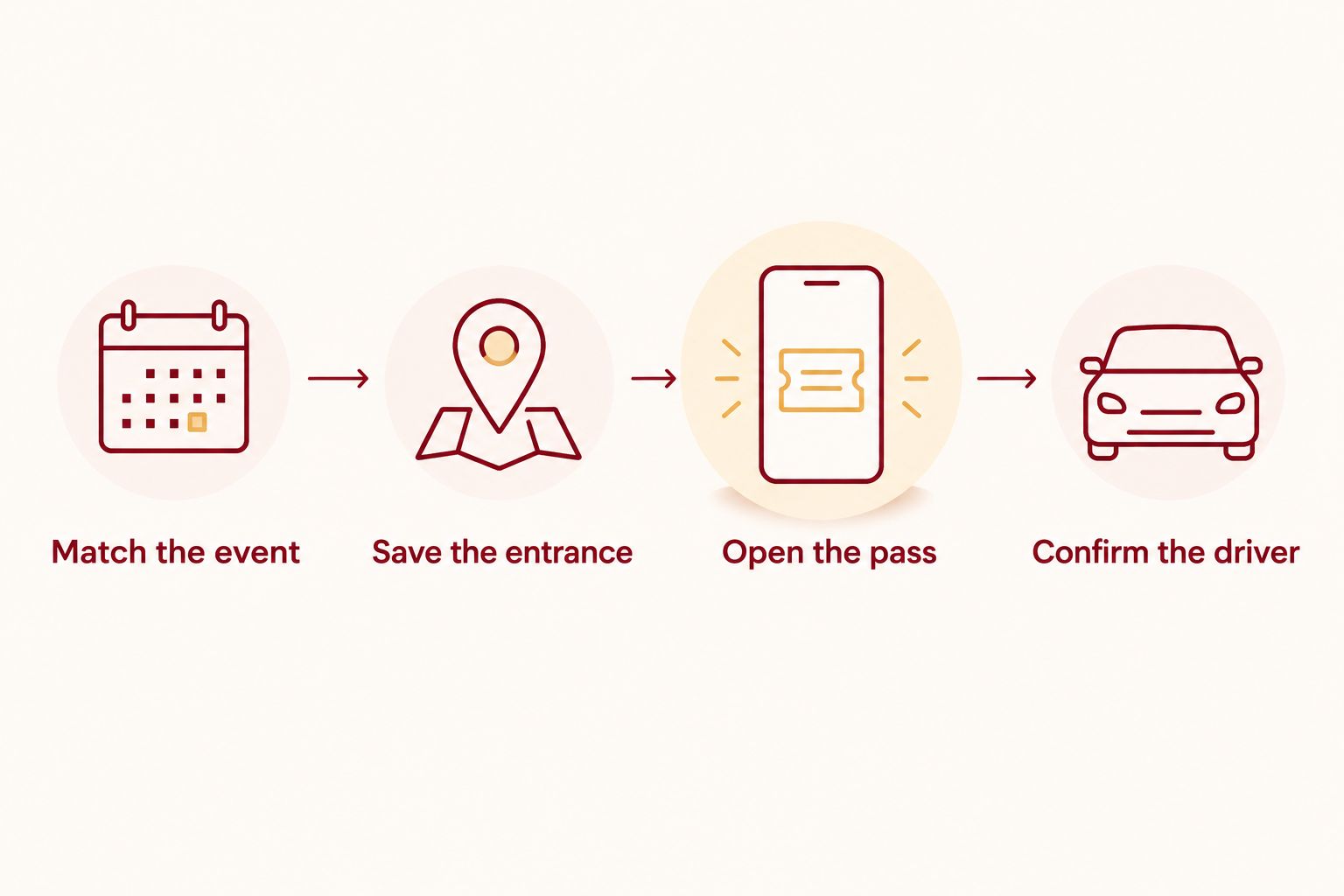
- Match the event. Keep the game date and opponent with your parking record so you do not open another home game’s reservation.
- Save the entrance. Use the lot address and entrance instructions supplied with the parking reservation. Do not replace them with the stadium’s general destination.
- Open the pass. Verify the presentation method before departure. Keep the original delivery message accessible as a reference.
- Confirm the driver. Decide who will present the parking credential. If that person is not the purchaser, check the issuer’s sharing or transfer instructions first.
Expected result: The driver has the correct destination, understands which credential to present, and knows whether any authorized handoff remains unfinished.
Keep the arrival record short. The essential items are the event, the parking entrance, the pass-access route, and any issuer-provided arrival restrictions. Stadium seating details do not replace those parking details.
For Crimsonlots, plan around the stated walk of up to 15 minutes to Memorial Stadium. That walking distance is not a promise about time spent driving to the lot, presenting your pass, or reaching your seat.
Give 1 driver responsibility for retrieving the parking credential. This is an organizational choice, not a limit on who can travel with you or a statement about pass-transfer permissions.
When the driver or game details change
A second useful workflow is to repeat the preparation check whenever the person presenting the pass changes. A new driver needs the parking instructions, not just a message saying the reservation is handled.
- Ask the issuer whether the credential requires an authorized transfer or another sharing procedure.
- Follow that procedure when provided. Do not assume forwarding a receipt transfers a parking entitlement.
- Have the new driver open the credential on the intended phone.
- Send the entrance instructions separately from the stadium meeting point.
- Remove any outdated arrival notes that would send the driver to the wrong location.
Expected result: The new driver can follow the permitted access method without depending on the original purchaser being beside the vehicle.
For a changed 2026 kickoff time, review your parking instructions independently. A change to the football schedule does not, by itself, specify a new parking arrival window. Use an updated instruction from the parking issuer before changing that part of your plan.
You can also create a personal calendar reminder containing the lot location and a note describing where the pass is stored. A calendar entry organizes your trip; it does not create, transfer, or validate a parking credential.
Troubleshooting
The parking purchase does not appear in the app
Return to the original parking confirmation and identify its stated delivery route. If the issuer did not direct you to the IU Athletics app, follow the separate access instructions rather than repeatedly changing app settings.
If the issuer did direct you there, compare the purchasing email with the account you are using. Contact the issuer with the reservation details when the expected credential remains missing.
You can find the receipt but not the pass
Read the full confirmation for separate delivery instructions or a message describing how to access the credential. Search your email for the issuer’s name and reservation reference.
Do not treat proof of payment as proof of the required presentation format. Ask the issuer which document or screen you must show.
There is no wallet button
Use the original access method unless the issuer supplies a supported wallet option. The absence of Add to Apple Wallet or Add to Google Wallet is not a reason to use an unrelated pass-conversion service.
Keep your account access and confirmation ready. Wallet storage is a convenience when supported, not a universal requirement for parking.
The pass opens, but the location is confusing
Compare the parking credential with the lot directions in the confirmation. A stadium name identifies the event destination; it does not necessarily identify the vehicle entrance for your reservation.
Ask the parking issuer to clarify conflicting directions before departure. Do not resolve a mismatch by choosing whichever map result looks closest.
Another person has the credential
Check the issuer’s transfer or sharing rules before forwarding anything. Have the intended driver complete the permitted access process and reopen the credential themselves.
Avoid sharing account passwords as a substitute for an authorized handoff. Keep reservation access separate from casual group-chat coordination.
Customize your workflow
For your 2026 home-game routine, keep a separate arrival record for each reservation. Reuse the checklist, not the previous game’s pass or entrance instructions.
If you attend with a group, send the parking location and meeting plan to passengers while limiting credential handling to the person who needs it. Do not post account credentials or pass images in a broad group conversation.
Crimsonlots offers reserved, guaranteed game-day parking within a 15-minute walk of Memorial Stadium. Choose parking for the location and reservation terms, then organize its actual delivery method. A convenient app arrangement is secondary to having the correct pass for the correct lot.
Plan your IU football parking
Choose guaranteed game-day parking within a 15-minute walk of IU Memorial Stadium.
FAQ
How do I connect my parking pass to the IU Athletics app?
Follow the access instructions supplied by the parking issuer. Use the IU Athletics app when those instructions direct you there; do not assume a separately purchased reservation has an app-import option.
Why isn't my parking pass showing with my IU football tickets?
Check the parking issuer and delivery instructions first. A parking purchase and a stadium-ticket purchase do not establish a shared delivery route just because they use the same email address.
Does buying an IU football ticket prove I have parking?
No—verify a parking entitlement in your purchase documents. Look for an explicit parking credential or reservation rather than relying on the stadium ticket alone.
Can I add my parking pass to Apple Wallet or Google Wallet?
Use a wallet when the parking issuer provides a supported wallet option. Follow the supplied button and verify that the saved pass matches your event and parking reservation.
Can I use a screenshot of my parking pass?
Use a screenshot only when the issuer explicitly accepts it. Otherwise, present the credential through the instructed access method rather than substituting an image.
What should I do if someone else is driving to the game?
Check the issuer's authorized sharing or transfer process before handing over the credential. Have the driver test access and save the parking entrance instructions before departure.
Will a calendar reminder update my parking reservation when kickoff changes?
Do not treat a personal calendar reminder as a reservation update. Check the parking issuer's instructions separately before changing your planned arrival time.
One last thing
Test the handoff, not just the download. Ask the driver to open the parking credential and identify the vehicle entrance without your help. That rehearsal checks the part of the plan that matters at arrival: whether the right person can present the right pass at the right place.