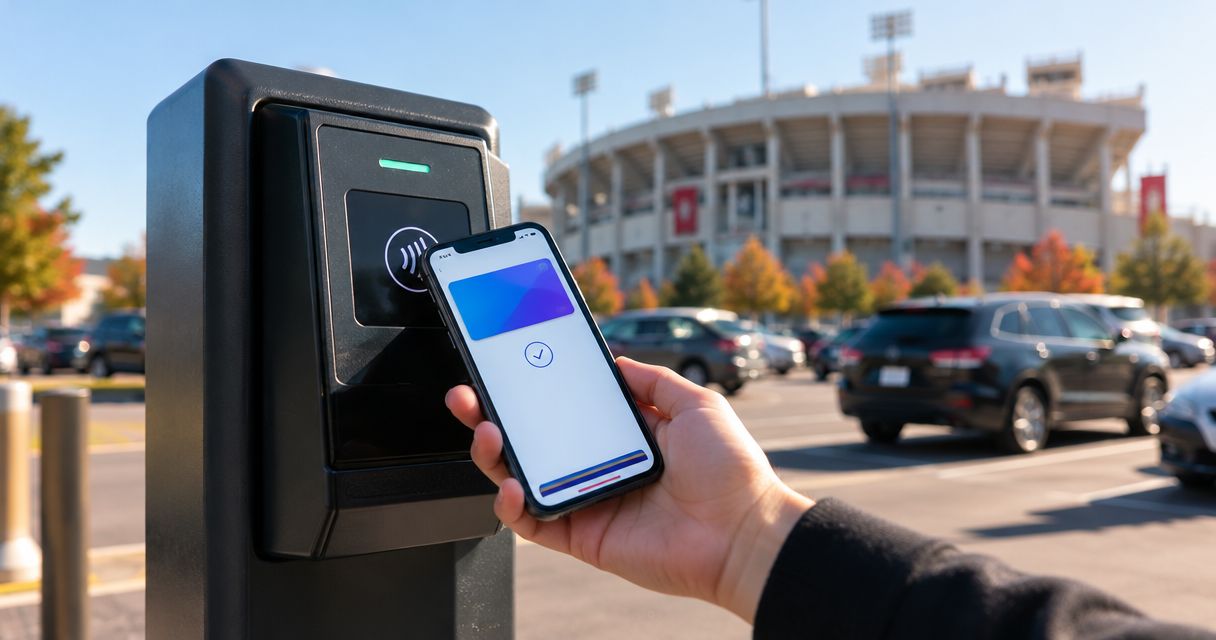
You can pay for IU football parking with Apple Pay or Google Pay only when your parking seller offers that payment method at checkout or explicitly accepts it at the lot. For 2026 home games, check the payment options for your specific reservation rather than assuming every Bloomington lot takes both. A wallet payment and a parking pass are different: finish the purchase and confirm your reservation before you drive.
- To pay for IU football parking with Apple Pay, check that the seller offers Apple Pay at checkout.
- Google Pay acceptance also depends on the seller and the payment channel you use.
- Apple Wallet and Google Wallet can hold supported passes; storing a pass does not pay for parking.
- Crimsonlots sells guaranteed IU football parking within a 15-minute walk of IU Memorial Stadium.
Can I pay for IU football parking with Apple Pay or Google Pay?
Use Apple Pay or Google Pay when the seller presents it as an accepted payment option for your purchase. Neither the IU football game nor the stadium location establishes a payment policy for every parking operator. Check the seller handling your reservation.
Start with your parking choice, then inspect its checkout. For example, Crimsonlots sells reserved and day-of guaranteed parking for IU home games; check the payment options presented during your purchase instead of inferring wallet acceptance from the reservation service.
These are the distinctions to make before paying:
| Option | Best for | What it does | Limitation |
|---|---|---|---|
| Apple Pay | Buyers using a supported Apple device and eligible card | Pays through a participating checkout or compatible payment terminal | Requires merchant acceptance and a supported setup |
| Google Pay | Buyers with a supported Google Pay setup | Pays through a participating checkout or supported payment experience | Requires merchant acceptance and an eligible payment method |
| Apple Wallet or Google Wallet parking pass | Drivers organizing a supported parking credential | Stores a pass that the issuer supports | Does not establish that parking was purchased using a digital wallet |
| Another seller-listed payment method | Buyers whose preferred wallet is not offered | Provides an alternative way to complete the purchase | Must be accepted by that specific seller |
Apple Pay and Google Pay are payment choices, not parking operators. Apple Wallet and Google Wallet are also used to organize supported credentials. A pass-storage feature is not evidence of payment acceptance.
Why this matters
Your payment method answers how you pay. Your reservation answers where and when you can park. Keep those questions separate so you do not arrive with a payment record but no usable parking instructions.
For a 2026 IU football trip, verify the game, parking location, and entry instructions before treating checkout as finished. A successful wallet authorization is not a substitute for understanding the reservation you bought.
The same distinction matters when someone else buys parking for your car. The buyer needs payment confirmation; the driver needs the parking credential and arrival instructions required by the operator. Decide who will hold each before leaving for Bloomington.
How do I check whether Apple Pay or Google Pay works?
Use these 5 checks before committing to a payment method. They separate seller acceptance, payment completion, and game-day entry without requiring you to guess how a particular lot operates.
- Choose parking. Select the correct home game and review the parking location. Confirm that you are buying parking rather than looking only at a stadium admission ticket.
- Check checkout. Look for Apple Pay or Google Pay among the payment methods actually offered. A wallet app installed on your phone does not make a seller accept that wallet.
- Review details. Check the game date, parking product, buyer information, and any arrival requirements shown before authorizing payment. Correct mistakes before proceeding.
- Confirm purchase. Finish the seller's checkout and look for its completed-order confirmation. Do not treat an abandoned checkout screen as a reservation.
- Save instructions. Keep the parking confirmation and the operator's entry directions accessible to the driver. Use the pass format the operator provides.
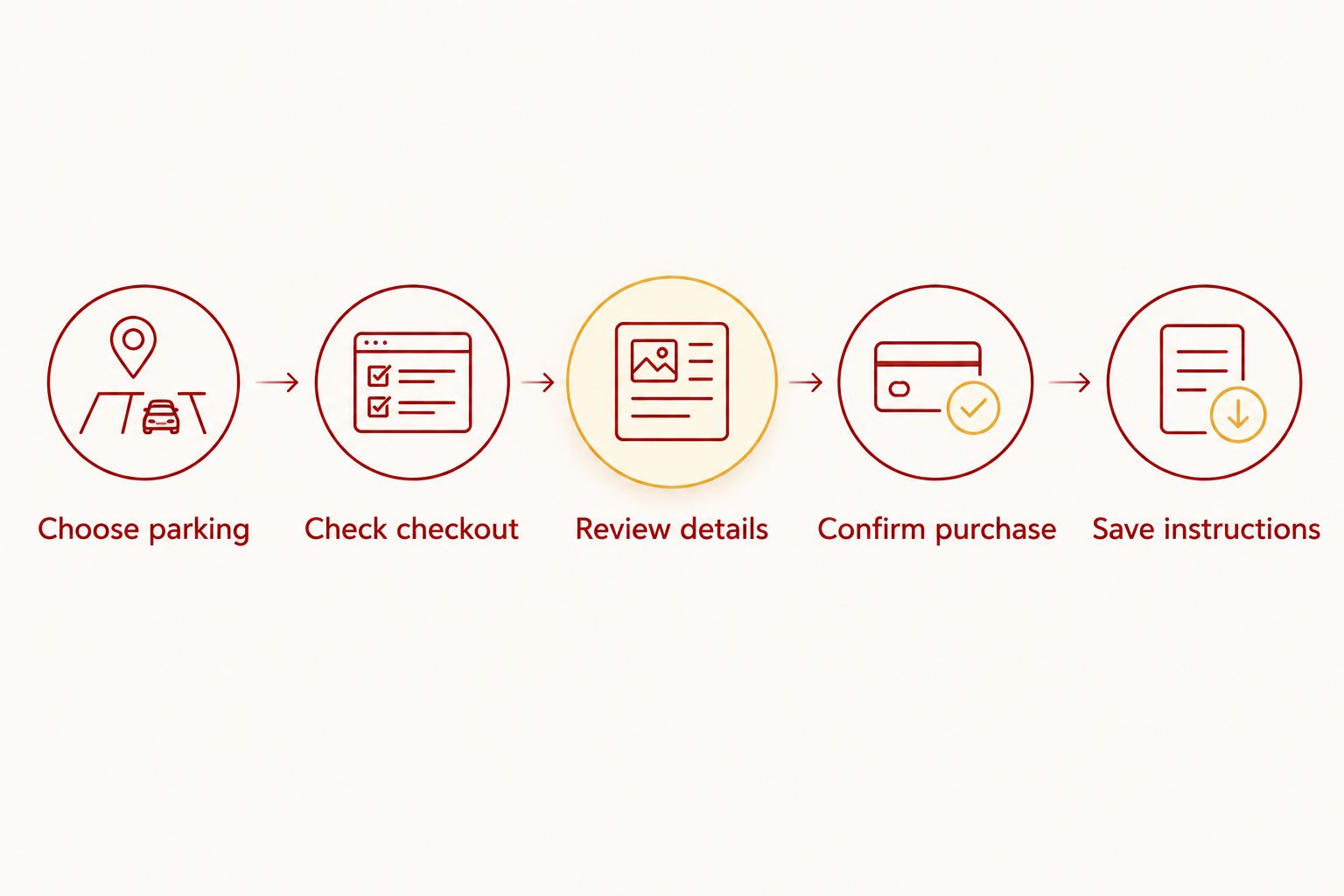
For your 2026 purchase, follow the current checkout rather than an old screenshot or another fan's instructions. If a wallet button is absent, use a listed alternative or ask the seller about supported payment methods before proceeding.
Do not buy a second reservation simply because the first confirmation is hard to find. Check your order records and ask the seller to clarify the first transaction before starting another purchase.
Why Apple Pay and Google Pay options vary
The relevant question is not whether a phone supports a wallet in general. It is whether that wallet works with the specific seller, checkout, and payment method you are using.
- Merchant acceptance: The seller must support the wallet for the transaction you are attempting.
- Payment channel: An online checkout and a lot entrance are different payment settings. Confirm the method for the setting you intend to use.
- Device support: Your device must meet the wallet provider's requirements. Check those requirements when setting up the wallet, not after entering a parking line.
- Card eligibility: A card must be eligible for use with the selected wallet. Adding a different card does not change which payment methods the seller accepts.
- Transaction authorization: Selecting a wallet does not finish payment by itself. Complete the authorization and verify the seller's order confirmation.
These factors explain what to check; they do not establish that any particular IU parking operator accepts either wallet. Treat the payment options shown for your actual purchase as the deciding evidence.
Is paying online the same as tapping my phone at the lot?
Paying online and tapping at a lot entrance are different transactions. For an online reservation, the checkout must offer your preferred wallet. For an in-person payment, the operator must accept that wallet through its payment setup.
Do not assume that acceptance in one setting guarantees acceptance in the other. If you intend to buy parking when you arrive in 2026, ask specifically about payment at the entrance rather than asking only whether the business takes online reservations.
Use a precise question: does this lot accept Apple Pay or Google Pay for payment on arrival for this game? That identifies the place, transaction, and payment method you mean without relying on a general answer about digital payments.
If you already prepaid, follow the reservation's entry instructions. Do not initiate another payment merely because an attendant is collecting payments from other drivers; first explain that you have an existing reservation and show the required credential.
Does adding a pass to Apple Wallet mean I paid with Apple Pay?
Adding a supported parking pass to Apple Wallet does not mean you paid with Apple Pay. Payment and pass delivery are separate functions, even when you use the same phone for both.
The same principle applies to Google Wallet and Google Pay. A seller can provide a supported wallet pass without that fact establishing which payment method funded the purchase. Check the order confirmation for purchase details and the pass instructions for entry requirements.
Look for these 2 records after checkout:
- Purchase confirmation: The seller's record that your parking order was completed, including the reservation details it supplies.
- Entry credential: The pass, code, or other proof the operator tells you to present when arriving.
These records can appear together, but their purposes differ. Keep the seller's original instructions, and do not assume a screenshot or forwarded copy will replace the required credential unless the operator permits it.
What should I do if the wallet button is missing?
If Apple Pay or Google Pay is missing from checkout, do not assume the purchase supports it. Use another method the seller lists, or contact the seller before paying if wallet payment is essential to your plan.
Check that you are using the intended seller and purchase page. Then review the wallet provider's device and payment-method requirements if you need help with your setup. These checks address different issues: seller acceptance and your ability to use the wallet.
If you started a payment but cannot tell whether it completed, stop before retrying. Review the seller's order confirmation and your transaction records, then ask the seller to resolve any mismatch. A payment screen that closes without clear reservation details needs clarification, not an immediate duplicate order.
For a group trip, tell the other drivers whether parking is confirmed or still being arranged. Avoid sending a message that parking is handled until the person responsible has the reservation and entry instructions.
Which parking details matter beyond the payment button?
Crimsonlots is best for IU football fans seeking guaranteed game-day parking within a 15-minute walk of IU Memorial Stadium. That describes the parking service; it does not establish Apple Pay or Google Pay acceptance.
The benefit is a guaranteed parking spot for the home game you reserve. The practical trade-off is the walk to the stadium, which you should assess against your group's mobility and arrival plans. A walking-distance description is not an accessibility certification.
Before purchasing 2026 parking, review the location and instructions alongside payment choices. Choose the parking arrangement that fits your trip, then use an accepted payment method—not the other way around.
If a particular wallet is essential, resolve acceptance before completing your plans. If the parking location matters more, a different seller-listed payment method can be the more practical choice.
FAQ
Can I pay for IU football parking with Apple Pay in 2026?
You can pay with Apple Pay when the parking seller offers it for your transaction. Check the actual checkout or confirm acceptance at the lot before relying on it.
Can I use Google Pay for IU football parking?
You can use Google Pay when your parking seller supports it for the purchase you are making. Online checkout acceptance does not by itself establish payment acceptance at the lot entrance.
Does Crimsonlots accept Apple Pay or Google Pay?
Check the payment methods presented during Crimsonlots checkout before relying on Apple Pay or Google Pay. The parking reservation service and its accepted payment methods are separate questions.
Is Apple Pay the same thing as an Apple Wallet parking pass?
Apple Pay is a payment method; an Apple Wallet parking pass is a supported credential stored for use. Having a pass in the wallet does not establish how the reservation was paid for.
What should I do if my parking payment went through but I cannot find a pass?
Check your seller's completed-order records and pass-delivery instructions, then contact the seller if the credential is missing. Clarify the existing order before buying another reservation.
Can I just tap my phone when I arrive at the parking lot?
Use your phone for payment on arrival only when the operator confirms it accepts your wallet at the entrance. If you prepaid, follow the existing reservation's entry instructions instead.
Can someone else pay while I drive to the game?
If someone else buys your parking, make sure the driver receives the credential and instructions the operator requires. Check any rules about purchaser identity or pass sharing before relying on that arrangement.
One last thing
Test access to your parking instructions, not just your wallet. Before your 2026 trip, open the confirmation, check the game date, and make sure the driver knows which entrance to use. A working payment method cannot direct your car to the right lot.
Keep the operator's required credential accessible and follow its instructions for presenting it. That is the final check between completing a transaction and being ready to park.