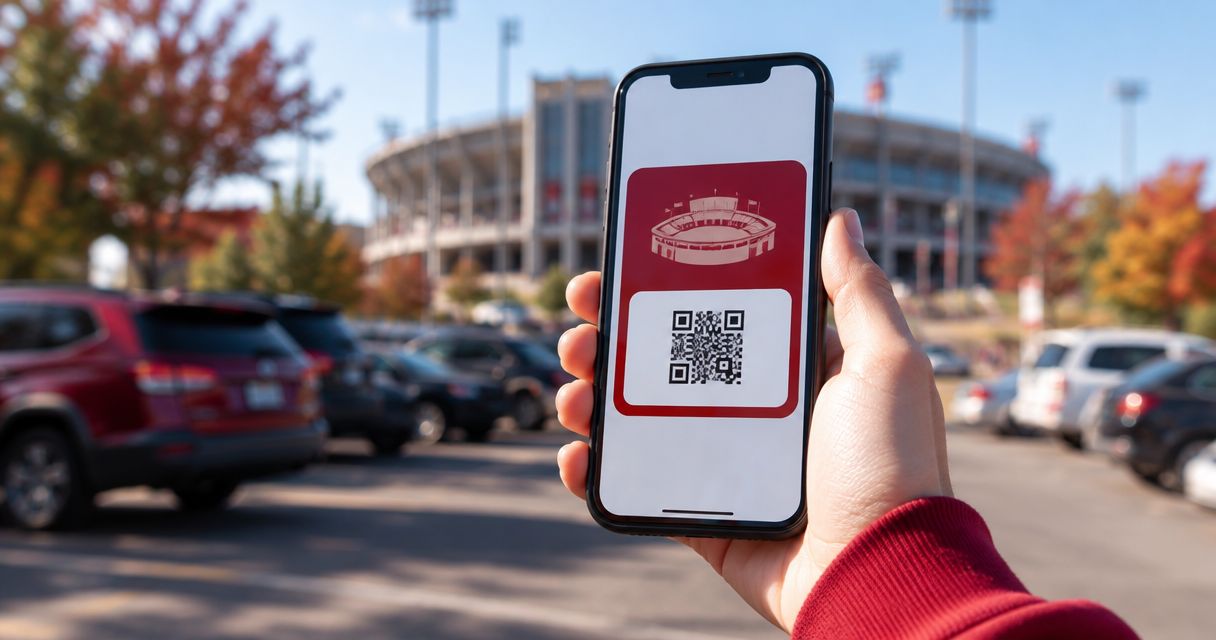
A screenshot of your Crimson Lots parking pass looks fine until the gate line starts moving and your phone auto-locks, or the photo compresses the QR code into a smear the attendant's scanner can't read. Add the pass to Google Wallet once, before you drive toward campus, and it opens with one tap at full brightness with the barcode sized correctly every time.
- Add your IU football parking pass to Google Wallet straight from the Crimson Lots confirmation email in under 2 minutes.
- iPhone needs the free Google Wallet app installed first; Android has Wallet built in already.
- A saved wallet pass works with the screen locked and without cell service once it's stored on the phone.
- Screenshots and cropped photos of the QR code are the most common reason a pass won't scan at the lot.
- Each pass covers one specific home game — add a new one for every game you book in 2026.
Why this matters
IU Memorial Stadium lots fill fast on a Saturday, and the gate line does not wait for you to dig through email. A Crimson Lots attendant is on site every game to scan the pass and wave you through, but that only works if the pass loads clean on the first tap.
Crimson Lots parking spots sit within a 15-minute walk of the stadium, which means foot and car traffic both peak in the same 20-minute window before kickoff. Google Wallet removes the fumbling: no unlocking into a Gmail app, no waiting for a PDF to render, no dead spot in your inbox because the stadium's cell coverage got hammered by 40,000 phones. Book a spot for a 2026 home game and this setup takes about two minutes.
Before you start
- A Crimson Lots confirmation email or text with your parking pass attached — it arrives right after you complete a booking.
- A Google account signed into your phone. Android phones have Wallet built in; iPhone needs the free Google Wallet app from the App Store first.
- The gotcha that trips people up: the Add to Google Wallet button only appears when you open the confirmation on your phone. Open it on a laptop and you'll see a preview with no button at all — forward the email to an address you check on mobile, or just open the original message on your phone.
Book your spot before adding a pass
Reserve a guaranteed parking spot near IU Memorial Stadium first.
Locate your confirmation email
- Open your email app on your phone — not a desktop browser — and find the message from Crimson Lots tied to your booking.
- Check the game date printed on the pass. Each pass covers one home game only, so confirm it matches the Saturday you're actually attending before you add anything.
- Tap to open the pass or the attached PDF until the QR code is visible on screen.
Expected result: you see your lot assignment, the game date, and a scannable QR code on the pass itself.
Add the pass to Google Wallet on Android
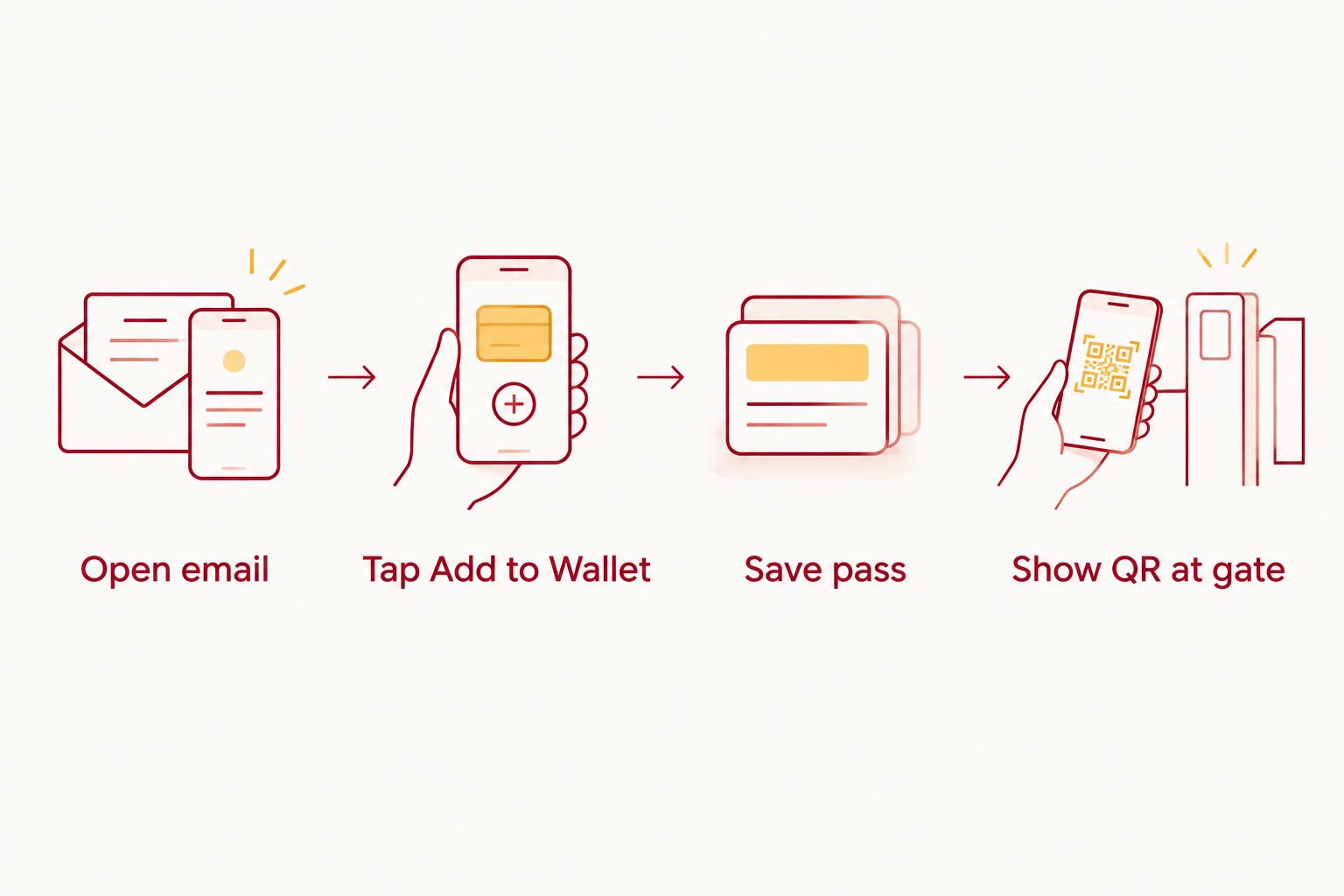
- With the pass open, tap the Add to Google Wallet button below the QR code.
- Google Wallet opens automatically and shows a preview with your lot number and game date already filled in.
- Tap Save in the corner of the preview.
- The pass now sits in your Wallet app next to any boarding passes or loyalty cards you already carry.
Expected result: opening the Wallet app shows the Crimson Lots parking pass as its own card, QR code visible without unlocking into email first.
That card is what the attendant scans at the lot entrance, so this is the step worth double-checking before game day.
Add the pass to Google Wallet on iPhone
- Install the free Google Wallet app from the App Store if you don't already have it, and sign in with the same Google account you'll use later.
- Open the confirmation email in your Mail app and tap the Add to Google Wallet button.
- iOS hands the pass to the Google Wallet app — tap Save when the preview appears.
- Find the saved pass under the Passes tab inside the Google Wallet app.
Expected result: the pass appears inside Google Wallet, separate from Apple Wallet, showing the same QR code and lot details you saw in the email.
Adding a pass for each home game you book
Every Crimson Lots pass is single-game. If you reserve parking for more than one home game in the 2026 season, repeat the steps above once per confirmation email — Google Wallet stacks them as separate cards. Wallet tends to surface the pass for your next game higher in the list, but check the printed date on the card before you drive over, especially on a week with back-to-back home games.
Confirm the pass saved correctly
- Open Google Wallet and tap the pass to make sure it opens without an error.
- Check that the game date matches what you booked and that the QR code looks sharp, not blurry or pixelated.
- Push your screen brightness to max before you reach the gate. A dim screen is the single most common reason a scanner needs three tries instead of one.
Troubleshooting
- No Add to Google Wallet button in the email. You almost certainly opened it on a computer. Open the original email on your phone, or forward it to an address you check on mobile.
- Pass saved but the QR code won't scan. Wipe the screen, max out brightness, then back out of Wallet and reopen the pass fresh — a stale cached view is the usual cause.
- Wrong game's pass got added. Open the pass in Wallet, tap the overflow menu, and choose Remove, then add the correct one from the matching confirmation email.
- Can't find the confirmation email at all. Check spam first, and search Crimson Lots instead of parking — some inboxes file booking receipts oddly. The reservation confirmation tracking guide covers what to check next if it never arrived.
- Google Wallet app won't open on an older iPhone. Update iOS first. Google Wallet needs a current iOS version and won't finish loading pass data on an outdated one.
What to do next
Once the pass is sitting in Wallet, the actual moment at the gate is its own small skill — how you hand your phone over, whether the attendant scans or eyeballs the lot number, what happens if the line splits into two lanes. That's worth reading before kickoff, not during the drive in.
It's also worth knowing what a legitimate pass looks like before you ever get to this step, since a pass bought from the wrong source won't have a working QR code to add in the first place.
FAQ
Can you add an IU football parking pass to Google Wallet on iPhone?
Yes. Install the free Google Wallet app from the App Store, sign in with a Google account, then tap the Add to Google Wallet button inside the confirmation email. Android has Wallet built in already, so iPhone is the only platform with an extra install step.
What if the confirmation email doesn't show an Add to Google Wallet button?
You likely opened the email on a laptop instead of your phone. Open the original email on your phone or forward it to an address you check on mobile — the button only renders on mobile mail apps.
Does the Google Wallet parking pass work without cell service at the lot?
Yes, once the pass is saved it lives on the phone and opens offline. This matters near IU Memorial Stadium on game day, when tens of thousands of phones on the same network can slow data to a crawl.
Can I add multiple IU football parking passes to Google Wallet for different games?
Yes. Each pass covers one home game, so repeat the add-to-Wallet steps for every confirmation email in the 2026 season. Wallet stacks them as separate cards, so check the date printed on the card before driving over.
Is a screenshot of the parking pass good enough at the gate?
No. Screenshots often compress or crop the QR code enough that scanners can't read it. Saving the actual pass to Google Wallet keeps the barcode at full resolution and sized correctly.
What happens if I lose the Crimson Lots confirmation email?
Search your inbox for Crimson Lots instead of parking, and check spam first. If it's genuinely missing, the reservation confirmation tracking process covers what to check and how to recover it.
Can I transfer a Google Wallet parking pass to someone else?
The pass itself is tied to the QR code from your booking, so transferring it means sharing that code directly rather than re-adding it under a different Google account.
One last thing
Google Wallet can surface a saved pass on your lock screen automatically once your phone's location gets close to IU Memorial Stadium, which means you may never need to open the app at all — the pass just appears when you're near the gate in 2026. Combine that with brightness maxed before you park and the whole redemption takes seconds, not a search through your inbox.