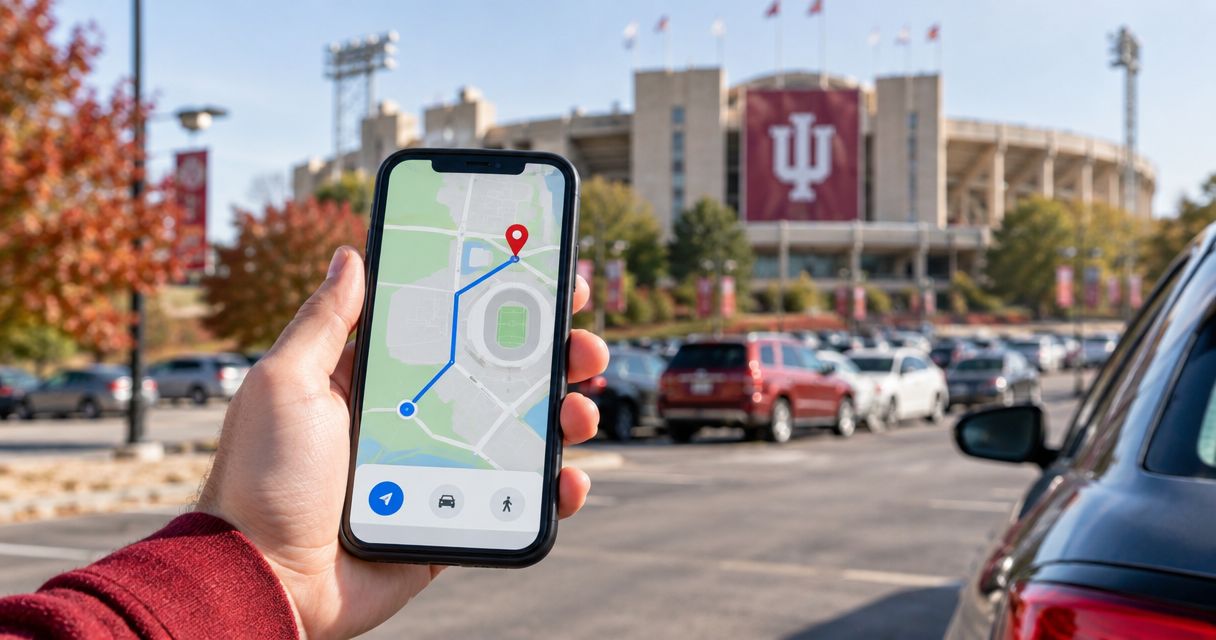
Instead of searching for your parking address while approaching Bloomington, set up Google Maps with the entrance from your IU football parking confirmation before you leave. For a Crimsonlots reservation, keep the parking pass separate from the map: the pass proves your booking, while Google Maps gets you to the destination.
- For google maps iu football parking, use your confirmed lot entrance—not a general Memorial Stadium search.
- Crimsonlots is best for IU football fans who want guaranteed parking within a 15-minute walk of Memorial Stadium.
- Save the parking destination, share it with your driver, and check the walking route separately.
- A saved Google Maps location does not create, change, or prove a parking reservation.
Why this matters
Your parking lot and your stadium entrance are different destinations. Searching for Memorial Stadium gets you a stadium result; it does not identify the entrance associated with your parking reservation.
For your 2026 game-day trip, route to the confirmed parking entrance first and the stadium second. Treat the journey as 2 route legs: driving to parking, then walking to your stadium entrance. That keeps a stadium search from replacing the address you actually need behind the wheel.
Crimsonlots is best for IU football fans who want guaranteed parking within a 15-minute walk of Memorial Stadium. The trade-off is that parking still involves a walk; a nearby spot is not the same as a stadium drop-off or an accessible route.
This setup uses Google Maps destinations and sharing. It does not require connecting your parking account to Google or giving Google Maps access to your reservation.
Before you start
- Have your parking confirmation ready. Use its address, entrance instructions, game date, and pass. Resolve unclear entrance details with the parking provider before building the route.
- Use the phone that will guide the driver. Install or open Google Maps, allow location access for turn-by-turn guidance, and sign in if you want to save the destination to your Google account.
- Check the entrance, not just the property address. A search result can mark a building or the center of a property rather than the driveway you must enter. Do not move the destination to an unverified driveway just because it looks closer.
Complete this check for each 2026 reservation. A destination saved from a previous visit is a convenience, not confirmation that the same location applies to your next game.
Your parking destination
Choose the right location reference
Use the most precise location information your parking provider supplies. An explicit entrance instruction takes priority over your own interpretation of a general map result.
| Location reference | Best for | Advantage | Limitation |
|---|---|---|---|
| Confirmed street address | Reservations with a clear address and entrance description | Gives you a searchable destination | The map marker does not necessarily identify the driveway |
| Provider-supplied map pin | Reservations with an entrance-specific location | Identifies the location selected by the provider | You still need to read any approach instructions |
| Memorial Stadium search | Planning the walk after parking | Identifies the stadium as a separate destination | Does not identify your reserved parking entrance |
Use the confirmed parking entrance for driving. Keep Memorial Stadium as the walking destination rather than treating these options as interchangeable.
Enter and verify the destination
- Open your parking confirmation and read the location instructions completely. Copy the address if the provider supplies one; open the supplied map location if that is the reference provided.
- Open Google Maps and paste the address into the search bar. Include Bloomington, Indiana, when needed to distinguish the result from similarly named places.
- Open the matching result and compare the displayed address with your confirmation. Zoom in to understand how the marked property relates to the surrounding streets.
- Compare the destination with the provider's entrance instructions. If they conflict, ask the provider to clarify before you start driving.
Expected result: Google Maps shows a destination that matches your reservation's location information. You can explain which entrance you are trying to reach without relying on the stadium's map marker.
Do not infer parking permission from an aerial image. An open-looking driveway, grass area, or neighboring lot is not evidence that your reservation applies there.
Your driving route
Configure directions before departure
- Open the verified parking destination in Google Maps and tap Directions.
- Select the car icon for driving directions. Check that the starting location matches where you will actually begin the trip.
- Review the route's final approach, including the street beside the destination. Compare that approach with any instructions supplied by the parking provider.
- Read the displayed travel estimate as a driving estimate, not a promise about parking entry, unloading, or reaching your seat.
- When you are ready to depart, tap Start. Make any further changes while parked, or have a passenger handle the phone.
Expected result: Your active driving route ends at the verified parking location rather than at a general stadium result.
For your 2026 trip, check the route again before departure instead of relying only on a screenshot captured earlier. Google Maps provides route guidance; signs, closures, traffic officers, and the parking provider's lawful entrance instructions govern the actual approach.
For more detail on that final approach, use the guide to finding the best route to your IU football parking spot.
Keep the route and pass separate
A route answers where to drive. A parking pass answers which reservation you hold. Keep both accessible so you do not have to search through messages after reaching the entrance.
Save a screenshot of the address and written entrance instructions as a reference. That screenshot is not live navigation, and a screenshot of a map is not a substitute for your parking pass.
Your saved destination and driver handoff
Save and share the verified place
- Open the verified location's place details in Google Maps and tap Save. Choose a list you can recognize when preparing for the game.
- Reopen the saved place and check its address. Saving the wrong result makes the error easier to repeat, not easier to detect.
- Open the place details and tap Share. Send the location through your chosen messaging app to the person who will drive.
- Send the entrance instructions alongside the location. Ask the driver to open the shared place and confirm the destination before departure.
Expected result: The driver has the same verified parking destination and entrance instructions you used to plan the trip.
For a 2026 group trip, use 1 verified destination per car's assigned reservation. If friends booked elsewhere, do not send your location as though it also grants them entry to your lot.
Sharing a place in Google Maps shares location information, not your parking entitlement. Keep reservation details out of a large group chat unless the people receiving them actually need them.
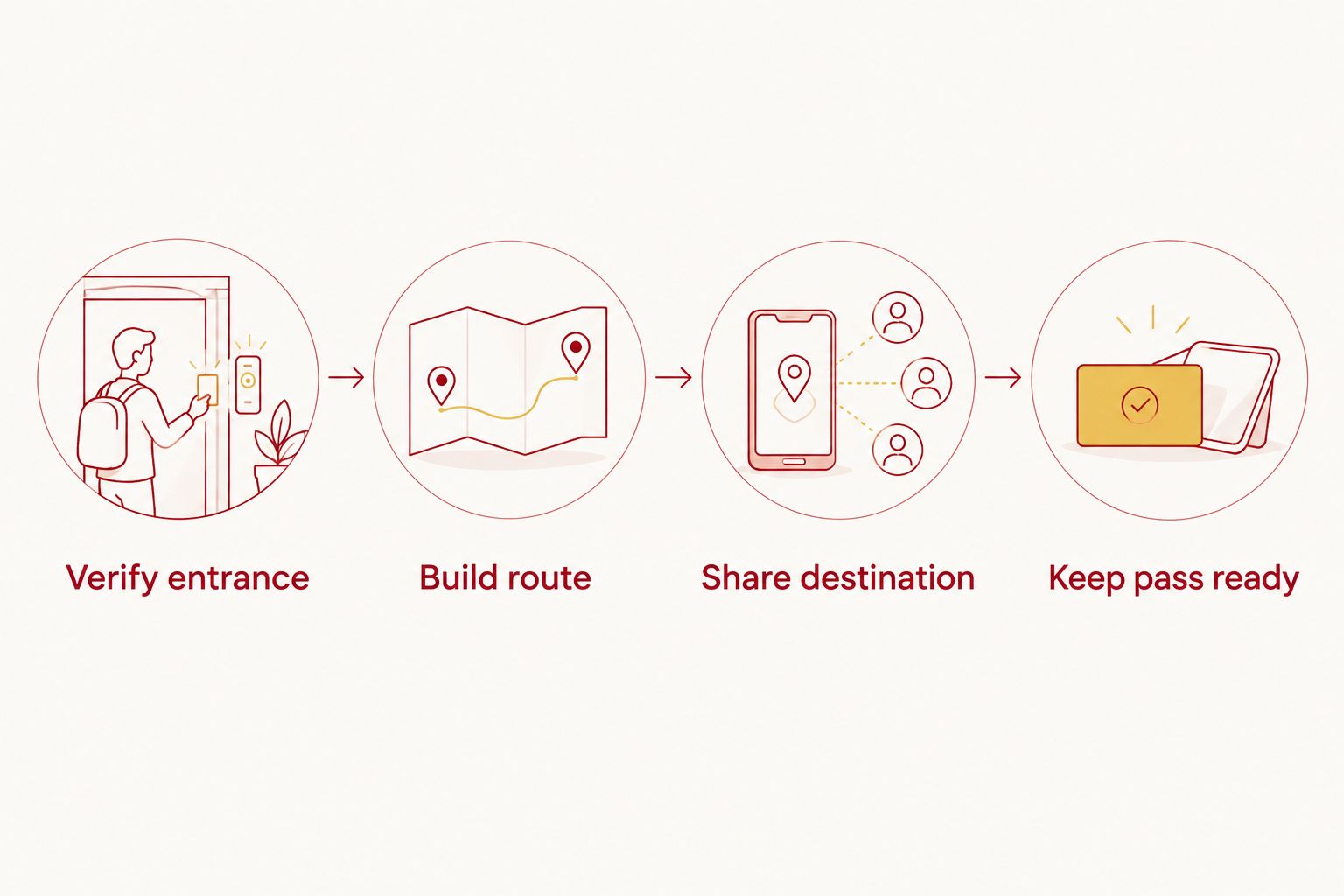
The practical sequence is simple: Verify entrance, Build route, Share destination, then Keep pass ready. Complete the verification before sharing so the whole group does not copy an unchecked destination.
Your walking route
Separate the stadium walk from the drive
- After you park, note your car's location and nearby fixed landmarks. Take a photo that helps you recognize the row or surrounding area.
- In Google Maps, search for Memorial Stadium at Indiana University in Bloomington. Verify the result before requesting directions.
- Tap Directions, then select the walking icon. Use your parked location as the starting point and check your game ticket for the appropriate stadium entrance.
- Review the proposed walk against public paths, signs, and event instructions. Do not cross restricted areas just because a map line appears to pass through them.
Expected result: You have a walking plan from your parked car toward the appropriate stadium entrance, separate from the completed driving route.
Crimsonlots offers guaranteed game-day parking within a 15-minute walk of IU Memorial Stadium. That describes the parking's proximity; it does not include unloading, security, entry queues, or the walk to your seat.
Check accessibility separately if anyone in your group needs a step-free or shorter route. Walking distance alone does not establish accessible parking, curb access, path conditions, or a suitable stadium entrance.
Update the route when your plans change
The adjacent workflow is updating an existing destination after a confirmed parking change. Do this manually; saving a Google Maps place does not establish an automatic connection to your reservation.
- Open the latest parking confirmation and compare its date, address, and entrance instructions with your saved destination.
- If the provider confirms a different location, search for that location and repeat the entrance verification.
- Save and share the corrected destination. Tell the driver which earlier message to disregard.
- Rebuild driving directions from your actual departure point. If only kickoff changes, review your departure plan without assuming the parking location also changed.
Expected result: Your driver uses the current confirmed location, not an earlier message or an old saved place.
For multiple 2026 home games, match the destination to each reservation before departure. A familiar route is useful, but familiarity does not replace checking the current booking.
Troubleshooting
Google Maps shows a different Memorial Stadium
Search again with Indiana University and Bloomington included. Then return to your parking confirmation for the driving destination; the correct stadium result still does not identify your parking entrance.
The marker lands beside the property, not the entrance
Compare the result with the written entrance instructions. Ask the parking provider to resolve any ambiguity rather than moving the pin to a driveway you have not verified.
The route approaches a closed or restricted road
Follow posted restrictions and traffic directions. Stop somewhere lawful before changing the route, and ask the provider about the permitted approach if its instructions no longer match what you see.
Do not turn into another lot to make the route line work. A routing problem does not change the reservation's location.
The shared location opens, but the driver lacks the pass
Send the driver the information needed to present the reservation, following the provider's pass instructions. A shared destination is only a map location; it is not proof of booking or permission to transfer a pass.
Your phone loses data or location access
Before departure, keep the address and entrance instructions accessible outside a live map session. Google Maps supports downloaded offline maps, but offline guidance does not provide live traffic information and has feature limits.
If location access is disabled, review the phone's permission settings while parked. Do not troubleshoot your phone while driving.
Customize your workflow
Build a small game-day reference containing the confirmed destination, entrance instructions, pass location, and planned stadium entrance. Keep it short enough that the driver can identify the destination without reading an entire message thread.
For repeat trips, reuse the preparation process rather than assuming every detail stays the same. Check the reservation, verify the entrance, then share the destination. That sequence works whether you leave from home, a hotel, or a different meeting point.
Crimsonlots provides the parking reservation; Google Maps provides the route. Keeping those roles separate makes it easier to identify whether a problem concerns directions, entry instructions, or the booking itself.
Reserve your game-day parking
Guaranteed parking within a 15-minute walk of IU Memorial Stadium.
FAQ
How do I use Google Maps for IU football parking?
Enter the parking location from your reservation, verify the entrance, and tap Directions for a driving route. Use Memorial Stadium as a separate walking destination after you park.
Does saving my parking spot in Google Maps reserve it?
No. Saving a location in Google Maps saves a place, not a parking reservation. Complete your booking with the parking provider and keep the confirmation accessible.
Should I enter Memorial Stadium or my parking address?
Enter your confirmed parking address or provider-supplied entrance location for the drive. Use the stadium destination when planning the walk after parking.
Can I send my IU football parking location to another driver?
Yes. Open the verified place in Google Maps, tap Share, and send it to the driver. Send the entrance instructions separately, because the shared map location does not prove a parking reservation.
Will Google Maps update automatically if my parking reservation changes?
Do not rely on a saved Google Maps place to update with your parking reservation. Check the latest confirmation, verify any new destination, and send the corrected location to your driver.
Can I use Google Maps without a mobile data connection?
Google Maps supports offline maps for downloaded areas, with limits. Download the relevant area before departure and keep written entrance instructions accessible; offline maps do not provide live traffic information.
Does a 15-minute stadium walk mean I will reach my seat in 15 minutes?
No. A parking-to-stadium walking description does not include unloading, security, entry queues, or reaching your seat. Check the stadium entrance on your ticket and plan those parts separately.
One last thing
Your saved lot entrance is not your parked car's location. After parking, record where the car actually sits and take a landmark photo before walking away. Keep the lot entrance for your next arrival; keep the car's location for tonight's return.