Instead of repeating parking directions and arrival updates in separate messages, set up a GroupMe IU football tailgate chat with one shared plan and a named organizer. Connect your crew by inviting members, posting confirmed parking instructions, and keeping each driver’s entry pass separate from the group conversation.
- Use a GroupMe IU football tailgate chat for coordination, not parking reservations or pass transfers.
- Crimsonlots is best for IU football fans who want guaranteed parking within a 15-minute walk of Memorial Stadium.
- Give every driver the confirmed entrance instructions; send entry credentials privately to the appropriate driver.
- Post one complete replacement plan whenever arrival details change.
Why this matters
A tailgate chat needs to answer practical questions: where to drive, who is bringing supplies, and where everyone meets after parking. GroupMe provides the conversation; your parking confirmation provides the entry instructions. A message saying someone has parking is not the same as that driver having the correct pass.
For your 2026 home-game plans, choose the parking location before circulating directions. Crimsonlots offers guaranteed IU football parking within a 15-minute walk of Memorial Stadium. That walking distance describes the stadium trip, not permission to set up tents, grills, or a gathering beside your vehicle.
Crimsonlots is best for IU football fans who want guaranteed parking within a 15-minute walk of Memorial Stadium. Confirm the rules for your intended tailgate location separately, then use the chat to distribute the approved plan.
Before you start
- Accounts and access: Have an active GroupMe account, access to the app or web interface, and contact details for the people you intend to invite. Ask members to confirm they can open the group before departure.
- Planning materials: Gather the correct game date, confirmed parking entrance instructions, driver assignments, and the proposed meeting location. Choose 1 organizer and 1 backup contact to maintain the plan.
- The gotcha: Posting a reservation screenshot in GroupMe does not establish transfer permission, authorize additional vehicles, or reserve adjacent spaces. Keep scannable entry credentials out of the main chat and check the reservation’s actual terms before assigning passes.
Group setup
Use the GroupMe web interface for the creation steps below. Keep the first group message focused on joining successfully; save parking details until you know the intended members are present.
- Create the group. Open GroupMe, select New chat, and choose Start group. Give the group a recognizable name, such as IU Football Tailgate Crew 2026, then select Create group.
- Add your crew. Add the intended members using the contact information associated with their GroupMe accounts. Check names carefully when contacts have similar names.
- Confirm membership. Send a short welcome message asking each person to identify their driver or say that they are meeting you on foot. Select Send to post it.
- Assign responsibility. Name the organizer and backup in the conversation. Ask everyone to send proposed changes to the organizer rather than publishing competing instructions.
Expected result: Your intended members can open the same conversation, identify their ride, and name the person responsible for updates.
For a 2026 season-long group, keep the name broad enough to reuse, but identify the opponent and date in every game plan. A familiar group name should not make an old parking message look current.
Choose the right conversation structure
Both structures below use GroupMe. The difference is how much conversation you keep together—not whether either structure reserves parking.
| Structure | Best for | Advantage | Limitation |
|---|---|---|---|
| Season-long chat | A recurring crew with consistent members | Keeps coordination in a familiar conversation | Older game instructions remain in the history |
| Game-specific chat | A changing guest list or occasional meetup | Keeps the conversation focused on the current game | Requires invitations and membership checks for each new group |
Use a season-long chat for a stable crew; use a game-specific chat when the guest list changes. Neither choice removes the need to verify the current reservation and meeting details.
Parking and arrival plan
Build the shared plan from confirmed information, not a rough map search or a friend’s memory. Keep the vehicle entrance and the walking meetup distinct: those destinations serve different purposes.
- Verify the reservation. Check the game date and parking instructions against the confirmation. For Crimsonlots IU football parking, copy the actual instructions you receive rather than treating the stadium address as the parking entrance.
- Assign drivers. List who is driving and who is riding with them. Do not assume that a reservation covers every vehicle in the chat; verify what each booking authorizes.
- Separate destinations. Label the vehicle entrance as Parking entrance and the gathering place as Meetup location. State explicitly when they are different places.
- Publish the plan. Post one complete message using the template below. Fill it with confirmed details and remove any line you cannot verify.
- Get acknowledgments. Ask each driver to reply that they have read the directions and can access their own entry credentials. A general reaction from a passenger does not confirm that the driver is ready.
Expected result: Every driver knows where to enter, and every attendee knows where to meet after parking.
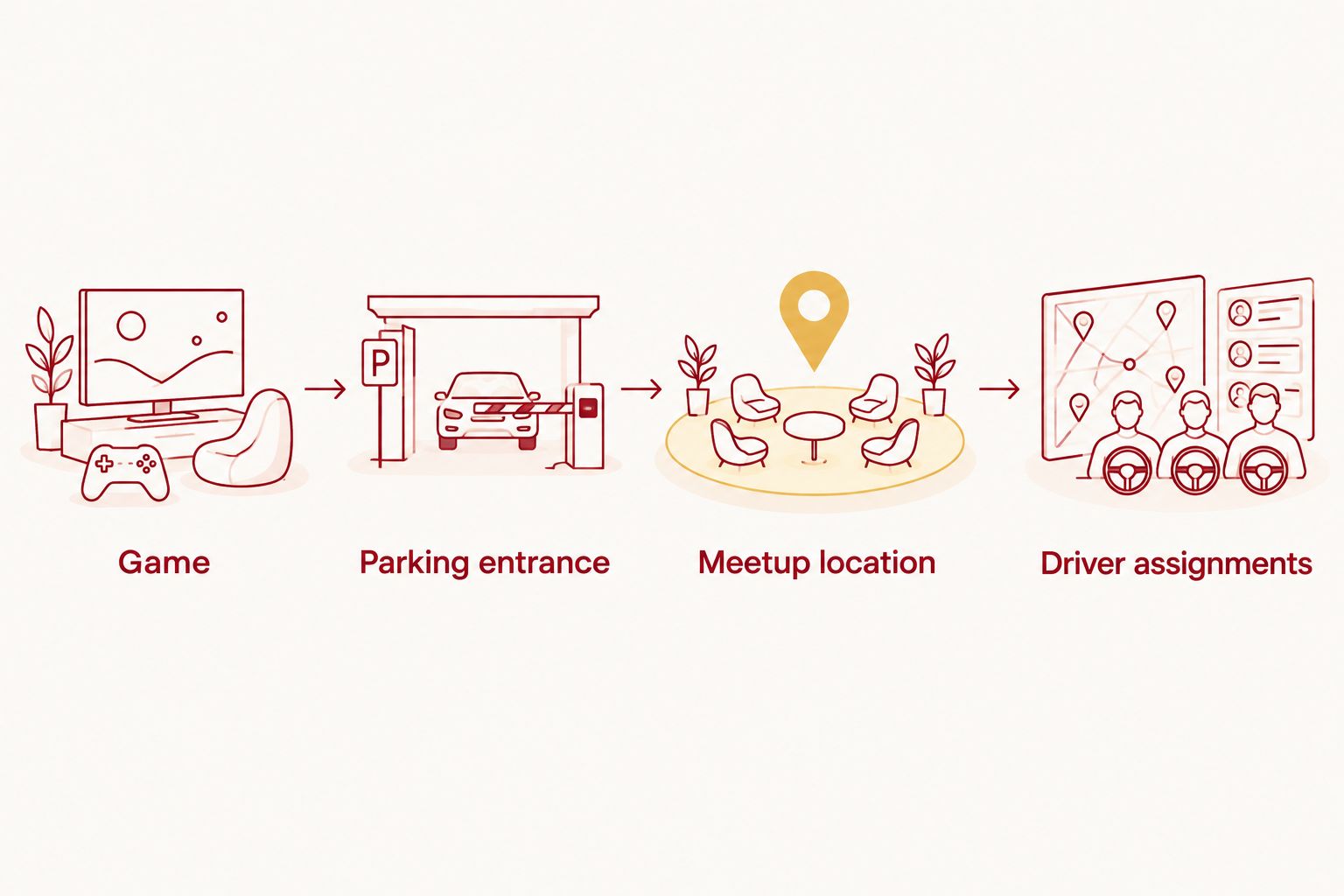
Copy this message structure
Use these labels for your own message; they are planning fields, not GroupMe settings:
- Game: Write the opponent and full game date, including 2026.
- Parking entrance: Paste the confirmed vehicle-entry address or instructions.
- Meetup location: Describe the agreed gathering point separately.
- Arrival target: State the crew’s chosen arrival time and identify it as your plan, not a lot-opening time.
- Driver assignments: Name each driver and their passengers.
- Supply assignments: Name the person responsible for each essential item.
- Walking departure: State when the group intends to leave the meetup for the stadium.
- Backup contact: Identify the person to contact if the organizer is unreachable.
A good plan distinguishes facts from decisions. The entrance comes from the parking instructions; your arrival target is a group decision that must fit the location’s rules.
Before adding equipment assignments, confirm that the intended gathering location permits the setup. A parking reservation alone does not establish permission for tents, cooking equipment, amplified sound, or extra occupied space.
Private pass handoff
The group needs directions. The appropriate driver needs the entry credentials. Keeping those jobs separate prevents a useful planning conversation from becoming a collection of duplicated passes.
- Identify the authorized driver. Match each vehicle with the person responsible for presenting its parking credentials. Check any transfer or sharing restrictions before changing that person.
- Send credentials privately. Use a private conversation with the appropriate driver when sharing is permitted. Do not post a scannable pass to everyone just because the group is private.
- Confirm access before travel. Ask the driver to open the pass and read the entry instructions while parked, before leaving. Follow the issuer’s instructions for displaying or saving it; do not assume a screenshot is accepted.
- Post only completion status. Tell the group which drivers are ready without reposting booking references, personal contact details, or entry codes.
Expected result: The group can coordinate arrivals without distributing every vehicle’s entry credentials to every attendee.
Crimsonlots handles the parking reservation; GroupMe handles crew communication. Treat this as a manual coordination workflow, not an automatic connection between accounts. Posting a message does not change a booking.
Plan your IU football parking
Choose guaranteed game-day parking within a 15-minute walk of Memorial Stadium.
Game-day check-in
Set a simple reporting routine before anyone starts driving. Use 3 status labels—Departed, Parked, and At meetup—so each update answers a specific question without another round of messages.
- Post departure status safely. Have a passenger send Departed, or send it before driving. Do not ask drivers to type updates while moving.
- Confirm arrival after parking. Ask each driver to send Parked only once the vehicle is parked. Include a useful landmark if the crew needs help finding that car, but keep credentials private.
- Confirm the gathering point. Have the first attendee at the agreed location send At meetup. Describe an observable landmark rather than relying on a vague message such as being near the stadium.
- Close the loop. Before walking toward Memorial Stadium, check whether anyone is still looking for the crew. Send the agreed walking departure update and identify the backup contact for late arrivals.
Expected result: The organizer can distinguish people still traveling from people parked elsewhere or already at the meetup.
For every 2026 game, keep the fallback meeting instructions in the shared plan. Save that text on your phone before departure so you can read it without reopening the conversation.
Update the crew whenever the plan changes
The adjacent workflow is a replacement-plan routine. Use it whenever kickoff information, your arrival target, driver assignments, or the meetup location changes.
- Verify the change against the relevant source: the published game information, your parking instructions, or the person whose travel arrangements changed.
- Start a new message with Updated plan, followed by the game date and the time you are posting.
- Repeat the complete current plan, including unchanged entrance and meetup details. State clearly which earlier instructions it replaces.
- Ask affected drivers to acknowledge the change. Contact an unresponsive driver privately before that person departs.
Expected result: A late reader can follow the newest complete message without reconstructing the plan from scattered corrections.
Changing your group’s arrival target does not change the parking location’s entry rules. For a late schedule announcement, use the guide to parking when IU football kickoff times change before publishing revised directions.
Troubleshooting
A crew member cannot find the group
Check that you invited the account the person actually uses. Ask the member to open GroupMe directly and verify the conversation before relying on a notification. Resolve access before sending private parking credentials.
Notifications are silent
Have the member check the conversation’s notification controls and the phone’s notification permissions for GroupMe. Still require a direct acknowledgment for important changes; sending a message does not confirm that someone read it.
Drivers are following an old plan
Post a complete Updated plan with the game date and posting time. Identify the outdated instruction explicitly, then contact affected drivers individually. Another isolated correction makes the history harder to follow.
Someone posted a scannable pass in the group
Stop reposting it and ask members not to use or redistribute it. Contact the issuer if you need to understand exposure or replacement options; deleting a message cannot retrieve copies already saved by other people.
The conversation will not load near the stadium
Use the previously saved entrance and fallback meeting instructions. Once safely parked, try contacting the organizer or backup directly. Do not keep changing the meeting location when some members cannot receive updates.
Customize your workflow
Add complexity only when it solves a real coordination problem. For a larger 2026 crew, appoint a contact for each vehicle, but keep one person responsible for the final shared plan.
Separate supply commitments from arrival updates. Ask members to state what they are bringing and who owns the item, then summarize confirmed assignments in one message. Avoid treating an unanswered suggestion as a commitment.
If shared expenses create another stream of messages, handle that as a separate task. Keep payment details and personal information out of the arrival plan so drivers can find directions without reading through unrelated discussion.
FAQ
How do I set up a GroupMe IU football tailgate chat?
Create a GroupMe group, add your crew, and post one complete plan with the game date, parking entrance, meetup location, and driver assignments. Ask each driver to confirm access before departure.
Does posting my parking reservation in GroupMe connect the accounts?
No. This workflow shares information manually; a GroupMe message does not create, update, or transfer a parking reservation. Follow the parking issuer’s instructions separately.
Should I share my parking pass with the whole tailgate group?
No. Keep scannable entry credentials out of the main conversation and provide them only to the appropriate driver when the issuer permits sharing. Send general directions to the crew separately.
Is a season-long GroupMe chat better than a new chat for every game?
A season-long chat fits a stable crew, while a game-specific chat fits a changing guest list. In either case, identify the current game date in every complete plan.
Can everyone park together because we are in the same GroupMe?
No. Group membership does not reserve adjacent spaces or authorize additional vehicles. Confirm each reservation’s coverage and any group-parking arrangements directly with the parking provider.
What should I post if our IU football arrival plan changes?
Post a complete replacement plan headed Updated plan, with the game date and posting time. State what changed and ask affected drivers to acknowledge it before departure.
Does Crimsonlots parking mean we can tailgate beside the car?
Do not treat a parking reservation as permission for a particular tailgate setup. Confirm the location’s rules for gathering, equipment, and occupied space before assigning supplies or sharing setup instructions.
One last thing
Send the fallback plan before anyone needs it. A meeting point posted only after someone loses access to the chat cannot help that person. Ask every driver to save the confirmed entrance instructions and ask the whole crew to save the agreed meetup description before leaving.